AssetAsyst User Manual

AssetAsyst User Manual

  • Home

›Operational Guide

AssetAsyst

  • Home
  • Database Config

Overview and Installation

  • Asset Type Overview
  • Asset Info Form
  • Install and Registration

Configuration

  • Login
  • User Setup
  • Map Customisation
  • Defect Type Prioritisation
  • Attachment Setup
  • Inspection Setup
  • Methodologies
  • Code Tables
  • Custom Fields
  • Asset Risk Score

Operational Guide

  • Main Screen Windows
  • Assets
  • Inspections
  • Defects
  • Work Orders
  • Advanced Work Orders
  • Predictive Modelling
  • Custom Assets
  • Mapping - Locate Asset/Defect
  • Heavy Vehicle Route Assessment
  • Filtering
  • Reporting

Finance / Capital

  • Accessing Capital Editor
  • Depreciation and Finance Module

Mobile Guide

  • Mobile Guide
  • Mobile App

Mapping - Locate Asset/Defect

You can set the latitude and longitude of point-based Assets (and Defects). Here's the form for a point-based Custom Asset:
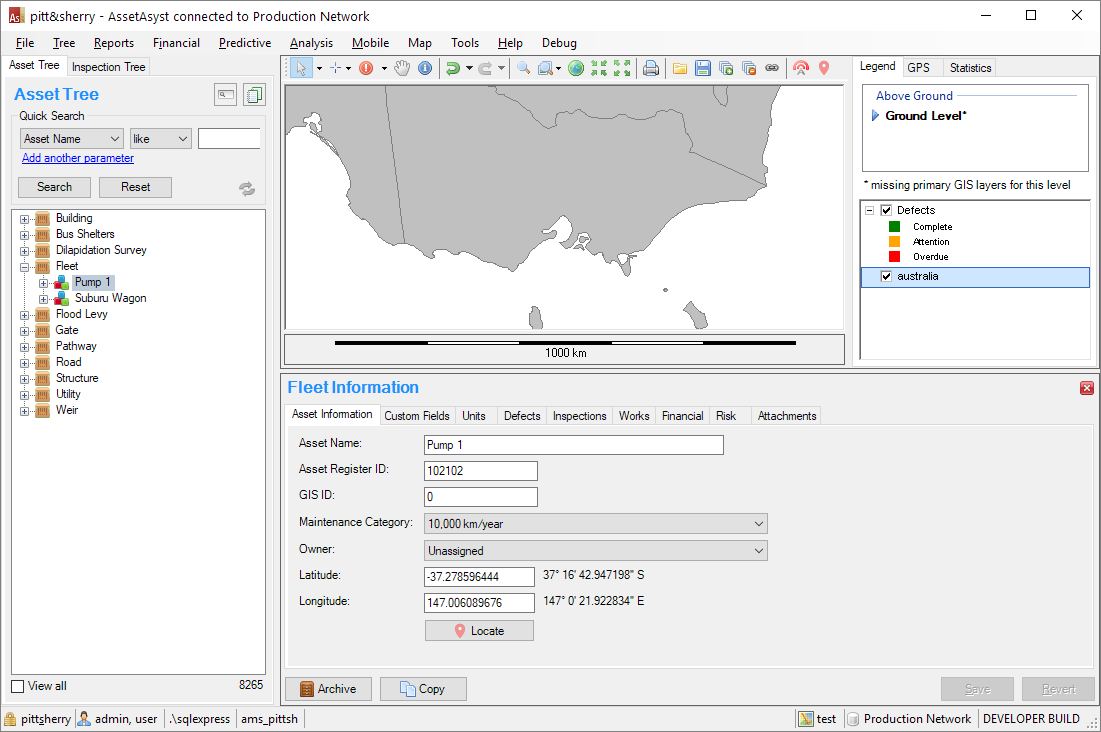
Custom Asset with GPS User Interface

Usually, this information is set using the mobile app. However, sometimes mobile device location services may not be available onsite. As an alternative, you can use the Locate Mode mapping feature in AssetAsyst. Underneath, the Latitude and Longitude fields, there's a Locate button:
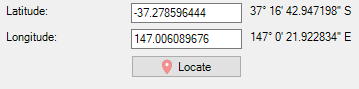
Latitude and Longitude with Locate Button

Clicking the button will put the map into Locate Mode. A marker shows you where the current point is:
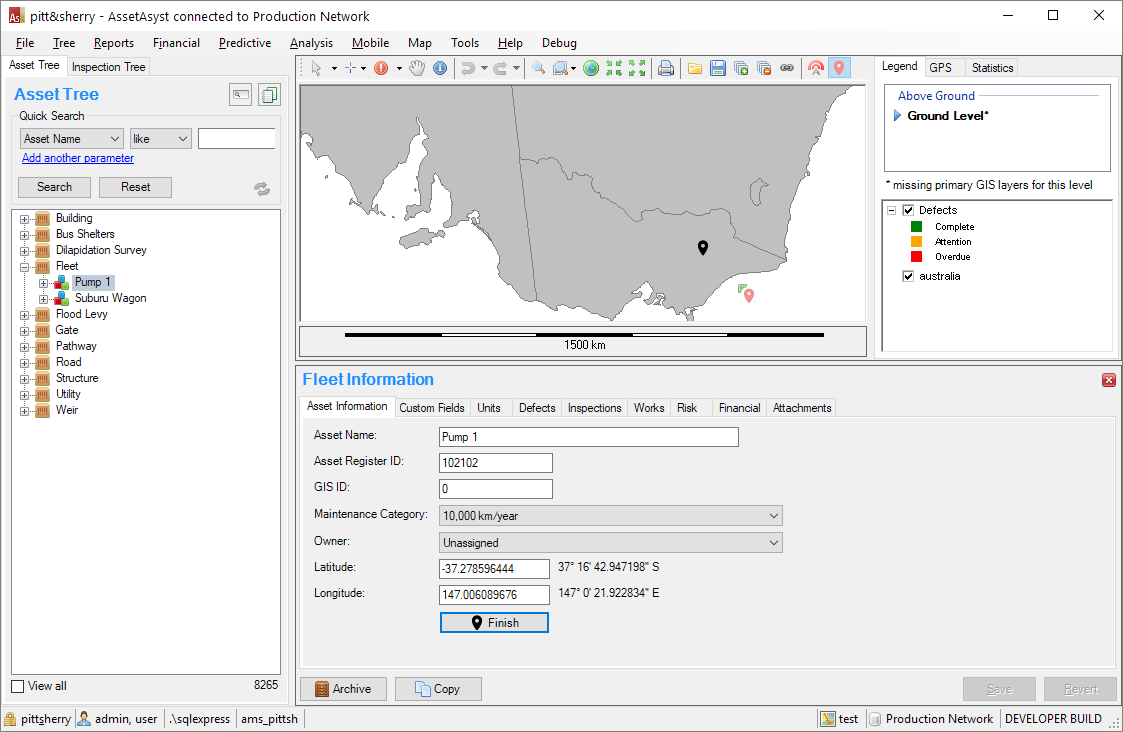
Locate Mode

Clicking anywhere on the map will change the position of the marker and update the GPS location of the Asset:
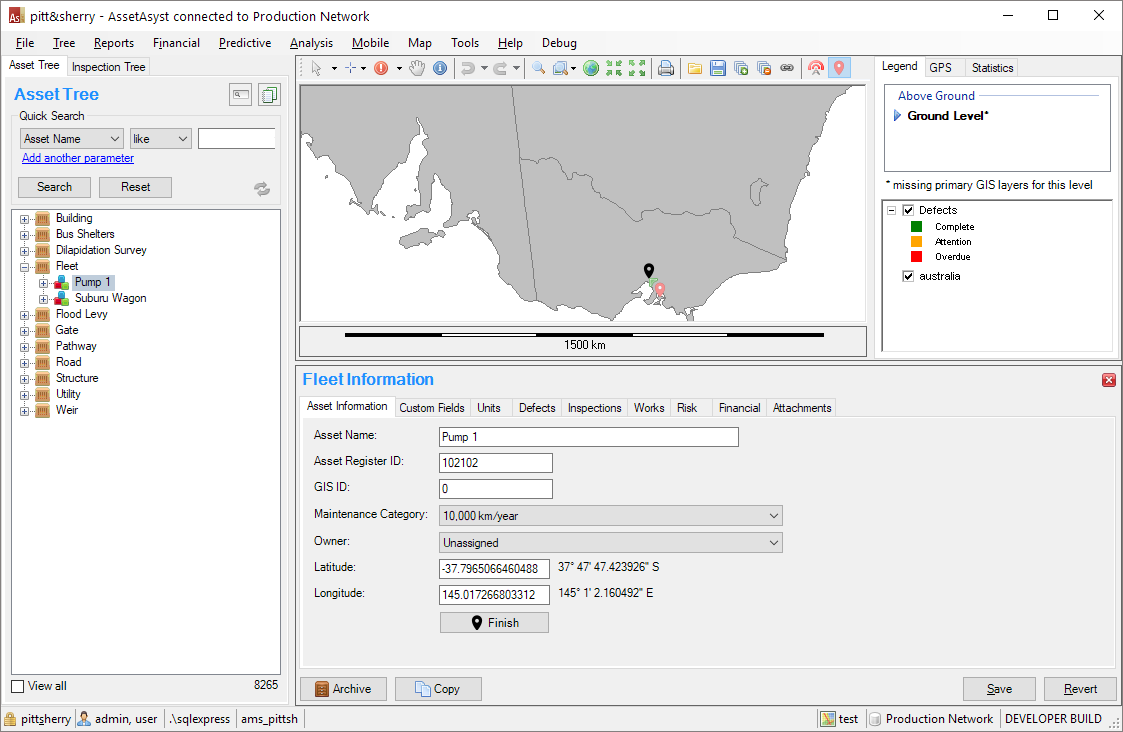
Locate Mode

To keep the new location (and end Locate Mode) click the Save button. Likewise you can go back to the old GPS location by clicking Revert.

NB - clicking Finish or clicking on any of the other buttons in the map toolbar will end Locate Mode. But you'll still need to click on either Save or Revert.

← Custom AssetsHeavy Vehicle Route Assessment →
AssetAsyst User Manual
Docs
Getting Started (or other categories)ConfigurationOperational GuideMobile Guide
Community
YouTubeTwitter
More
Blog
Copyright © 2004 - 2022 pitt&sherry